How to Stop Spam on Your Custom Domain Without Switching Email Providers
You run your own domain for email. Maybe you host it yourself with Postfix or hMailServer. Maybe you use Google Workspace, Microsoft 365, or a smaller provider like Zoho or Fastmail. Either way, spam keeps getting through, and you are tired of it.
The obvious solution seems to be switching to a provider with better filtering. But migration is painful: you need to move mailboxes, update DNS, reconfigure clients, and hope nothing breaks. Worse, the new provider might not be much better — every platform has filtering gaps.
There is a simpler approach: add a filtering layer in front of your existing setup without changing anything else.
The MX gateway approach
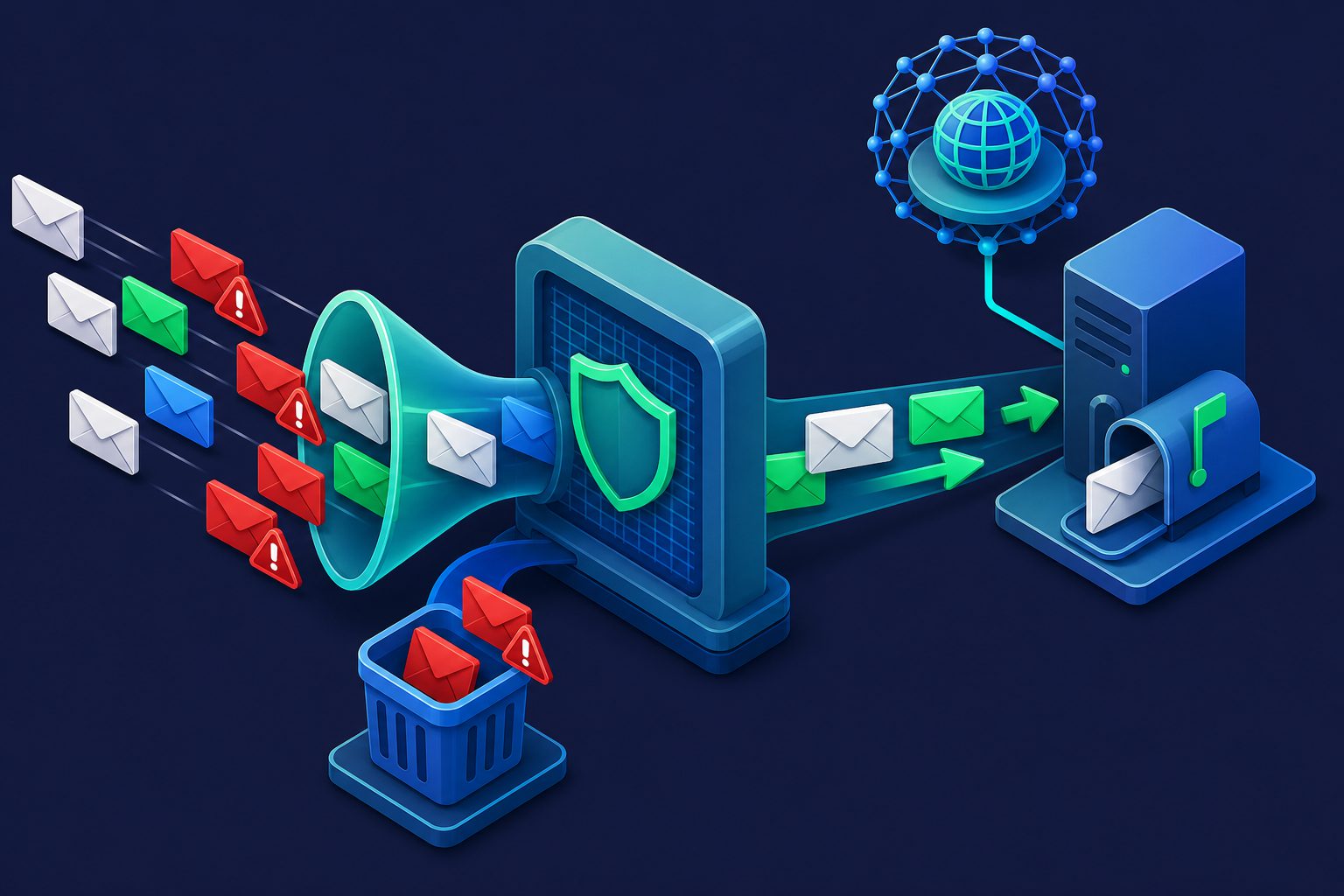
An MX gateway is a server that sits between the internet and your mail server. You change your domain's MX records to point to the gateway instead of directly to your mail server. All incoming email hits the gateway first, gets filtered, and only clean messages are forwarded to your actual server.
Without a gateway:
  Internet → your mail server → inbox (spam included)

With a gateway:
  Internet → MX gateway (filtering) → your mail server → inbox (clean)
Your mail server, your mailboxes, your clients, your users — nothing changes. The only modification is two DNS records.
What a gateway filters that your provider does not
External blacklists
Most email providers use their own internal reputation systems. A dedicated MX gateway checks every incoming connection against the major external DNS-based blacklists:
- Spamhaus ZEN — Combines four separate lists (SBL, XBL, PBL, CSS) covering known spam sources, compromised machines, and policy blocks. Used by over 3 billion mailboxes worldwide.
- Barracuda BRBL — Maintained by Barracuda Networks, one of the largest email security companies. Their reputation data comes from millions of devices across their global network.
- SpamCop — Community-driven blocklist updated in real time from user reports. Particularly effective against new spam campaigns because reports come in as the campaign is happening.
An IP listed on Spamhaus is blocked by most independent mail servers worldwide. But if you rely solely on Gmail or Outlook's built-in filtering, that same IP can deliver email straight to your inbox because those platforms do not check Spamhaus.
Granular spam scoring
A gateway running a full spam engine like Rspamd evaluates dozens of signals per message: header anomalies, content patterns, URL reputation, Bayesian classification, fuzzy hash matching against known campaigns, and more. Each signal contributes to a numeric score, and you decide the threshold.
This is fundamentally different from Gmail or Outlook's binary "inbox or spam folder" decision. With a gateway, you see the exact score, understand which signals triggered, and can adjust thresholds per address or per domain.
Real quarantine
A spam folder is not a quarantine. Email in your spam folder is on your server, indexed by search, accessible to anyone with mailbox access, and automatically deleted after 30 days whether you reviewed it or not.
A proper quarantine holds messages outside your mail system entirely. You review them in a separate interface, release legitimate messages with one click, and delete the rest. Nothing touches your inbox unless you explicitly approve it.
Virus scanning
Gateway-level virus scanning with ClamAV catches malware before it reaches your server. The infected attachment never arrives in anyone's mailbox — it is blocked at the gateway with no option to download or open it.
What stays the same
This is the part people struggle to believe: an MX gateway changes almost nothing about your existing setup.
| What | Changes? | Details |
|---|---|---|
| Your mail server | No | Keeps running exactly as before |
| Your mailboxes | No | No migration, no reconfiguration |
| Your email clients | No | Outlook, Thunderbird, mobile apps — all unchanged |
| Your outbound email | No | SPF, DKIM, DMARC for sending remain yours |
| Your MX records | Yes | Point to the gateway instead of your server |
| Your firewall (optional) | Recommended | Restrict SMTP to only accept connections from the gateway |
The firewall step is optional but recommended: by restricting your mail server to only accept SMTP connections from the gateway's IP addresses, you ensure that all email must pass through filtering. Without this, a spammer who knows your server's real IP could bypass the gateway entirely.
Who benefits most from a gateway
- Self-hosted email administrators — Running Postfix, Dovecot, hMailServer, or Exchange on your own server? You are responsible for your own spam filtering. A gateway gives you enterprise-grade filtering without maintaining it yourself.
- Small businesses on basic email plans — Google Workspace Business Starter or Microsoft 365 Business Basic include limited spam filtering. A gateway adds the advanced features that normally require expensive premium plans.
- Multi-domain operators — Managing email for several domains? A single gateway can filter all of them with unified quarantine and per-domain settings.
- Businesses with compliance requirements — Some industries require demonstrable email security controls beyond what basic email platforms provide. A gateway with logging and reporting satisfies these requirements.
How Cleanbox Relay works as your gateway
Cleanbox Relay is an MX gateway built specifically for domain owners who want better filtering without changing their email infrastructure.
Setup takes about 10 minutes:
- Add your domain in the Cleanbox dashboard
- Configure your destination mail server (the server Relay forwards clean email to)
- Update your MX records to point to Cleanbox
- Optionally restrict your server's SMTP to Cleanbox's IPs using the relay token
From that point, every inbound email is filtered through:
- IP reputation checks against Spamhaus, Barracuda, SpamCop, and additional blacklists
- Full SPF, DKIM, and DMARC verification with SRS rewriting for forwarding compatibility
- Rspamd content analysis with Bayesian classification and fuzzy hash matching
- ClamAV virus scanning
- AI-powered spam classification
You control everything: spam thresholds, per-address settings, custom filters, and sender management through contact states. Your quarantine shows you exactly what was blocked and why, with full spam reports for every message.
Relay is available on the Advanced ($35/month for up to 100 addresses and 10 domains) and Enterprise plans. For setup instructions, see Setting Up Relay for Your Domain.
If you want to check your current domain setup first, use the MX Lookup tool to see where your email is currently routed, and the SPF Checker to verify your sender authentication.
Ready to take control of your inbox?
Start protecting your email with Cleanbox — free plan available, no credit card required.
Get started free