Is iCloud Email Safer Than Gmail? Privacy and Security Compared
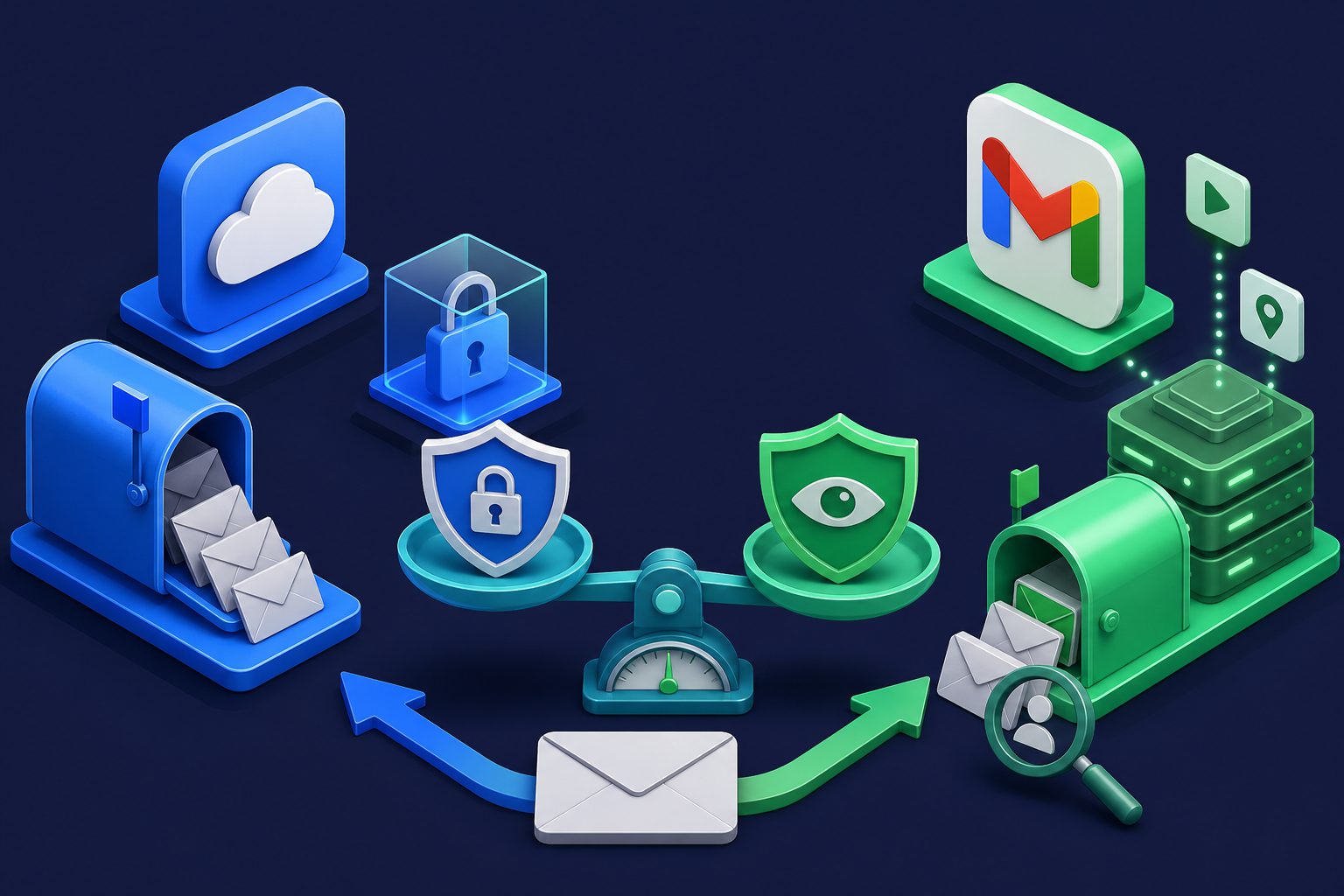
Both iCloud Mail and Gmail are secure by modern standards. Both use TLS encryption in transit. Both offer two-factor authentication. Both have spam filtering. But security and privacy are not the same thing — and that is where Apple and Google diverge sharply.
If you are choosing between iCloud Mail and Gmail, the question is not "which one will get hacked?" (both are well-defended). The question is "what happens to my email data once it is safely inside?"
Privacy: the core difference
Gmail: your data powers the business
Google is an advertising company. Gmail is free because your data — including email metadata, purchase confirmations, travel bookings, and subscription patterns — feeds the profile Google uses to sell targeted ads. Google stopped scanning email content for ad targeting in 2017, but it still:
- Reads purchase confirmations to populate Google Shopping and track spending
- Extracts travel bookings to add to Google Calendar and Maps
- Analyzes email metadata (who you email, when, how often) for profile building
- Uses email data to improve Google services and AI training
- Shares your advertising profile across all Google products
Google's privacy policy explicitly states that email data is used to "provide, maintain, and improve services" and "develop new ones." For a detailed breakdown, see How Google and Microsoft Use Your Email Data.
iCloud Mail: privacy as a selling point
Apple sells hardware. iCloud Mail exists to make Apple devices more valuable, not to build an advertising profile. Apple's privacy commitments for iCloud Mail include:
- No email scanning for advertising purposes
- No advertising profile built from email data
- Mail Privacy Protection (MPP) blocks tracking pixels by default on Apple devices
- Hide My Email generates unique aliases to protect your real address
- No cross-service data sharing for ad targeting
Apple's business model means your email data is not the product. That is a structural difference, not just a policy choice — Apple has no financial incentive to mine your inbox.
Security features compared
| iCloud Mail | Gmail | |
|---|---|---|
| Encryption in transit (TLS) | Yes | Yes |
| Encryption at rest | Yes (AES-128) | Yes (AES-128/256) |
| End-to-end encryption | No (excluded from Advanced Data Protection) | No (S/MIME on paid Workspace, client-side encryption on Enterprise) |
| Two-factor authentication | Yes (required for new Apple IDs) | Yes (optional, nudged) |
| Passkey support | Yes | Yes |
| Spam filtering | Basic | Advanced (ML-based) |
| Phishing detection | Basic | Advanced (Safe Browsing integration) |
| Tracking pixel blocking | Yes (Mail Privacy Protection) | No (images proxied but not blocked) |
| Built-in email aliases | Yes (Hide My Email, iCloud+ required) | No (plus addressing only) |
| Account recovery | Recovery contacts, recovery key | Recovery phone, recovery email |
Where iCloud Mail is safer
No data mining
This is the biggest advantage. Apple does not read your email to build a profile, serve ads, or improve unrelated products. When you receive a purchase confirmation in iCloud Mail, Apple does not use it to target you with ads for similar products. Gmail does, through its integration with Google's advertising ecosystem.
Tracking pixel protection
Apple's Mail Privacy Protection pre-loads remote content (including tracking pixels) through Apple's proxy servers, hiding your IP address, location, and whether you opened the email. This is enabled by default on Apple devices. Gmail proxies images through Google servers (hiding your IP from senders) but does not block tracking pixels from reporting that you opened the email.
For more on how tracking pixels work, see How Email Tracking Pixels Work and How to Block Them.
Built-in email aliases (Hide My Email)
iCloud+ includes Hide My Email, which generates unique random email addresses that forward to your iCloud inbox. This lets you sign up for services without revealing your real address. Gmail has no equivalent — the closest is plus addressing (you+service@gmail.com), which does not actually hide your real address.
2FA is mandatory
Apple requires two-factor authentication for all new Apple IDs and strongly encourages it for existing accounts. Google nudges users toward 2FA but does not require it. The result: a higher baseline security standard for iCloud accounts.
Where Gmail is safer
Superior spam filtering
Gmail's spam filter is significantly better than iCloud Mail's. Google processes over 300 billion emails per week, giving its machine learning models an enormous training dataset. Gmail blocks approximately 99.9% of spam, phishing, and malware before it reaches your inbox.
iCloud Mail's spam filtering is functional but basic. It catches obvious spam but misses more sophisticated phishing and social engineering than Gmail does. If spam protection is your primary concern, Gmail has a clear advantage.
Better phishing protection
Gmail integrates with Google Safe Browsing to check links in emails against a real-time database of known phishing and malware sites. It also highlights suspicious messages with prominent warning banners. iCloud Mail has basic phishing detection but nothing matching Gmail's scale of threat intelligence.
Client-side encryption (Enterprise)
Google Workspace Enterprise offers client-side encryption (CSE), where the encryption keys are managed by the customer, not Google. This means even Google cannot read the email content. iCloud Mail does not offer end-to-end encryption for email — it is explicitly excluded from Apple's Advanced Data Protection feature.
This matters for businesses with strict compliance requirements. For personal use, neither service offers true end-to-end encrypted email.
More granular security controls
Gmail (especially Workspace) offers detailed security controls: app passwords, OAuth scoping, admin-managed security policies, and comprehensive audit logs. iCloud Mail's security options are simpler and less configurable.
Neither protects you from these
Both iCloud Mail and Gmail have blind spots that neither addresses:
- No per-sender control: Neither lets you rate-limit, schedule, or selectively block individual senders beyond basic block/allow lists
- No quarantine: Both use binary spam/inbox sorting. Neither offers a quarantine queue for borderline messages that need human review
- No custom spam thresholds: You cannot adjust how aggressive the spam filter is for different addresses
- No protection for custom domains: Both are designed for their own domains (@gmail.com, @icloud.com). Custom domain email requires additional setup (Google Workspace, iCloud+ with custom domain)
- Government access: Both comply with lawful government requests for user data. Neither can protect your email from a valid warrant.
If you need these capabilities, an additional protection layer like a dedicated email security gateway fills the gaps that both providers leave.
The privacy vs security trade-off
This comparison reveals a fundamental trade-off:
- Gmail is more secure in the sense that it has better spam filtering, better phishing detection, and more enterprise security features. It is harder for attacks to reach your inbox.
- iCloud Mail is more private in the sense that Apple does not mine your email for advertising, blocks tracking pixels by default, and offers built-in aliases. Your data is less visible to the provider.
If your threat is spam and phishing, Gmail protects you better. If your threat is data collection and tracking, iCloud Mail protects you better. Neither fully solves both.
What about other options?
If you want both strong privacy and strong security, neither mainstream provider fully delivers. Dedicated privacy email services like ProtonMail offer end-to-end encryption but have smaller spam filtering datasets. For a broader comparison of providers, see Best Email Providers for Privacy.
Alternatively, you can add a protection layer on top of either provider. Services like Cleanbox sit in front of your Gmail or iCloud inbox and add multi-layered spam filtering, contact management, Shield protection, and quarantine — regardless of which email provider you use. This gives you the privacy benefits of your chosen provider plus the filtering depth that neither provides alone.
For detailed reviews of each provider individually, see Is iCloud Mail Safe? and Is Gmail Safe?
Ready to take control of your inbox?
Start protecting your email with Cleanbox — free plan available, no credit card required.
Get started free