What Is Email Quarantine and Why It Beats Spam Folders
Every email platform has a spam folder. It is where suspicious messages go to die. Most people never check it, and the few who do find a mix of obvious junk and the occasional legitimate email that was caught by mistake.
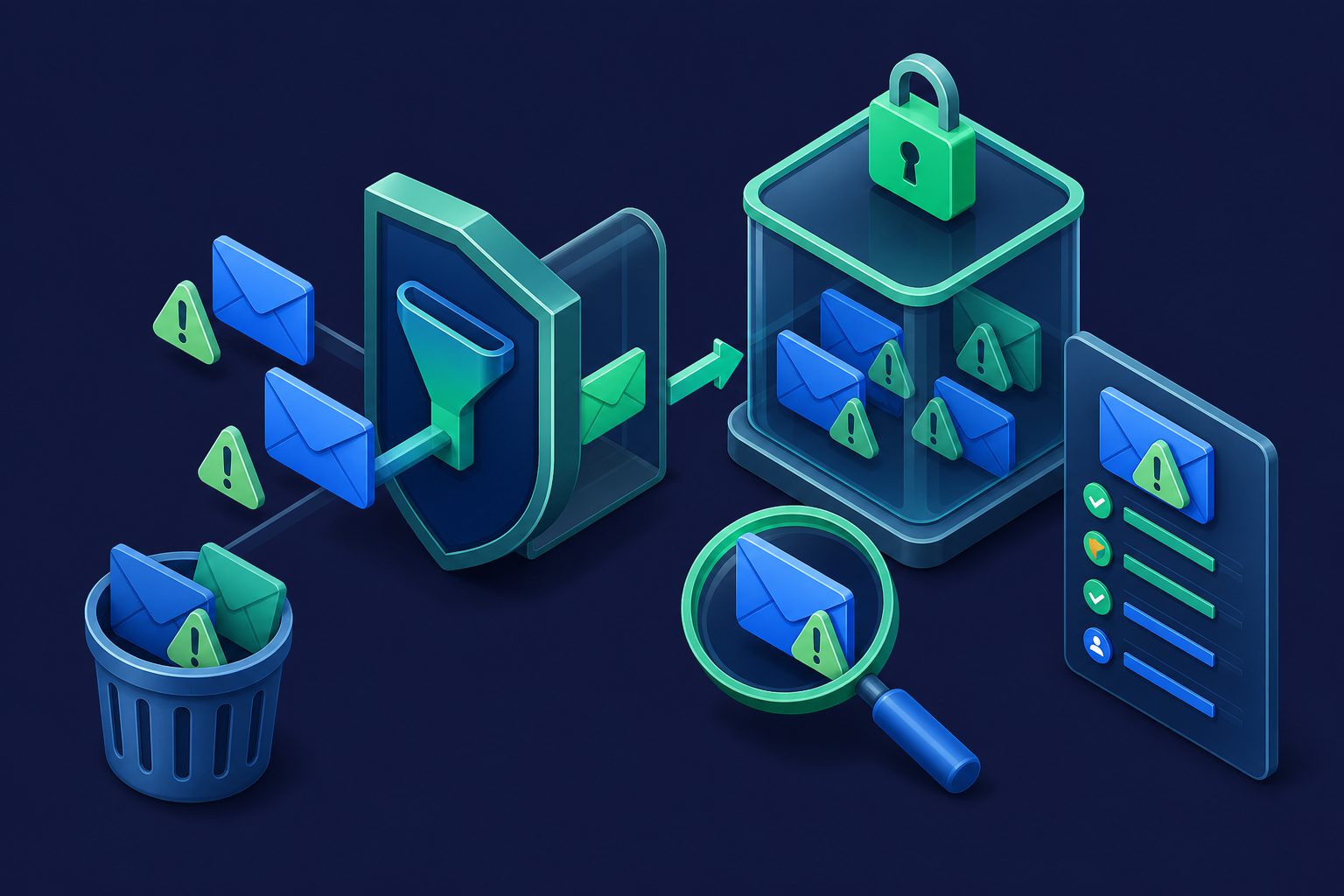
Email quarantine is a fundamentally different approach to handling suspicious email. Instead of silently hiding messages in a folder you ignore, quarantine holds them in a dedicated review queue with detailed explanations of why each message was flagged. The difference sounds small. In practice, it changes how you relate to your spam filter entirely.
How spam folders work
In Gmail, Outlook, Yahoo, and most email providers, spam filtering works like this:
- An email arrives
- The spam filter evaluates it (reputation checks, content analysis, authentication)
- If the filter decides it is spam, the email goes to the spam folder
- If the filter decides it is legitimate, it goes to your inbox
The spam folder is a binary outcome: spam or not spam. There is no middle ground, no explanation, and no easy way to understand why a specific message was classified the way it was.
The problems with spam folders
- No transparency: Why did this email land in spam? Was it the sender’s IP reputation? A failed authentication check? Suspicious content? The spam folder does not tell you. Gmail shows a brief banner like “This message seems dangerous” but provides no detail.
- False positives disappear: When a legitimate email lands in spam, you probably will not find it. Most people never check their spam folder. The email sits there for 30 days and then is automatically deleted. You never know it existed.
- No review workflow: There is no easy way to systematically review borderline messages. You either check the entire spam folder (which is 99% junk) or you do not check at all.
- Binary classification: Every email is either “spam” or “not spam.” But real email is not binary. A newsletter you subscribed to but forgot about is not spam in the same way a phishing email is. A legitimate email from a new sender whose domain is young is not the same as a message from a known spammer.
How email quarantine works
Quarantine adds a third category between “inbox” and “rejected”: held for review. The flow looks like this:
- An email arrives
- The filtering system evaluates it across multiple layers (reputation, authentication, content, rules)
- If clearly legitimate: delivered to inbox
- If clearly spam: rejected (never stored, never delivered)
- If borderline: held in quarantine with a full report of why it was flagged
The quarantine acts as a buffer zone for uncertain messages. Instead of making a binary decision on every email, the system admits uncertainty and lets you make the call on the messages that are genuinely ambiguous.
Why quarantine is better
You see why messages were flagged
Each quarantined message comes with an explanation: which rules triggered, what the spam score was, whether SPF/DKIM/DMARC passed or failed, and which specific checks raised flags. This turns spam filtering from a black box into something you can understand and adjust.
When you see that a legitimate email was quarantined because the sender’s domain has a missing DMARC record, you understand the problem. When Gmail puts the same email in spam with no explanation, you are left guessing.
False positives are recoverable
In a spam folder system, a false positive is a lost email. You have to know it exists to find it. In a quarantine system, borderline messages are surfaced for review. You see them, you decide, and you release the ones that are legitimate. The email is not silently discarded — it is held until you act.
For business email, this is critical. A missed invoice, a client inquiry that landed in spam, a job application that never arrived — these are real consequences of false positives in a system with no review mechanism.
You can adjust sensitivity
When quarantine shows you exactly why messages are being flagged, you can make informed decisions about your spam threshold. If you see that legitimate emails from new contacts are consistently quarantined because of low sender reputation, you can lower your threshold for that type of check. If you see phishing getting through, you can tighten it.
A spam folder gives you one knob (if any): how aggressive the filter is. Quarantine gives you the data to know which direction to turn it.
Different thresholds for different addresses
Not every email address needs the same level of protection. A public-facing support address receives more spam than a personal address shared only with close contacts. With quarantine and per-address thresholds, you can set aggressive filtering on public addresses (quarantine more, accept occasional false positives you will review) and relaxed filtering on private addresses (let more through, trust the senders).
Spam folders apply the same rules to everything. Quarantine lets you be precise.
Quarantine vs spam folder: side by side
| Spam folder | Quarantine | |
|---|---|---|
| Borderline messages | Hidden in spam folder | Held for explicit review |
| Explanation of why flagged | None or minimal | Detailed report per message |
| False positive recovery | Must manually find in spam | Surfaced in review queue |
| Auto-deletion | Yes (30 days typical) | Held until you decide |
| Per-address thresholds | Usually not supported | Yes |
| Transparency | Black box | Full visibility into scoring |
| Review workflow | Scroll through junk folder | Dedicated review interface |
Who benefits most from quarantine
- Business owners: Missing a client email because it landed in spam is a real cost. Quarantine ensures borderline messages are seen and reviewed.
- Custom domain users: Custom domains attract more spam than established provider addresses. Per-address quarantine thresholds let you protect public addresses aggressively without over-filtering private ones.
- Anyone who has lost a legitimate email to spam: If you have ever discovered an important email in your spam folder days after it arrived, quarantine prevents that from happening again.
- Privacy-conscious users: Quarantine explanations show you exactly what your filter checks (authentication results, reputation scores, content flags), giving you visibility into what is happening to your email before it reaches you.
How Cleanbox quarantine works
Cleanbox uses quarantine as a core part of its filtering system, not an afterthought. Every incoming email passes through multiple detection layers — Rspamd scoring, DNSBL checks, SPF/DKIM/DMARC verification, ClamAV virus scanning, and AI classification. Each layer contributes to an overall spam score.
- Below your threshold: Delivered to your inbox.
- Above your threshold but not extreme: Held in quarantine with a full breakdown of every check that contributed to the score.
- Extreme spam or malware: Rejected outright.
In the Cleanbox dashboard, quarantined messages are listed with their spam score, the specific rules that triggered, authentication results, and a one-line explanation in the X-Cleanbox-Explanation header. You can release a message to your inbox with one click, or confirm it as spam to improve future filtering.
Each alias can have its own spam threshold. A public-facing alias might quarantine anything above a score of 5, while a personal alias might only quarantine above 8. You decide per address, and you can adjust based on what you see in your quarantine queue. For guidance on setting thresholds, see How to Choose the Right Spam Threshold.
The result: you never silently lose an email. Clear spam is rejected. Clear legitimate mail is delivered. Everything in between is held for your review, with full transparency into why.
For more on how filtering works, see How Spam Filters Work and How to Reduce Spam Without Losing Legitimate Emails.
Ready to take control of your inbox?
Start protecting your email with Cleanbox — free plan available, no credit card required.
Get started free