How AI Email Assistants Put Your Privacy at Risk
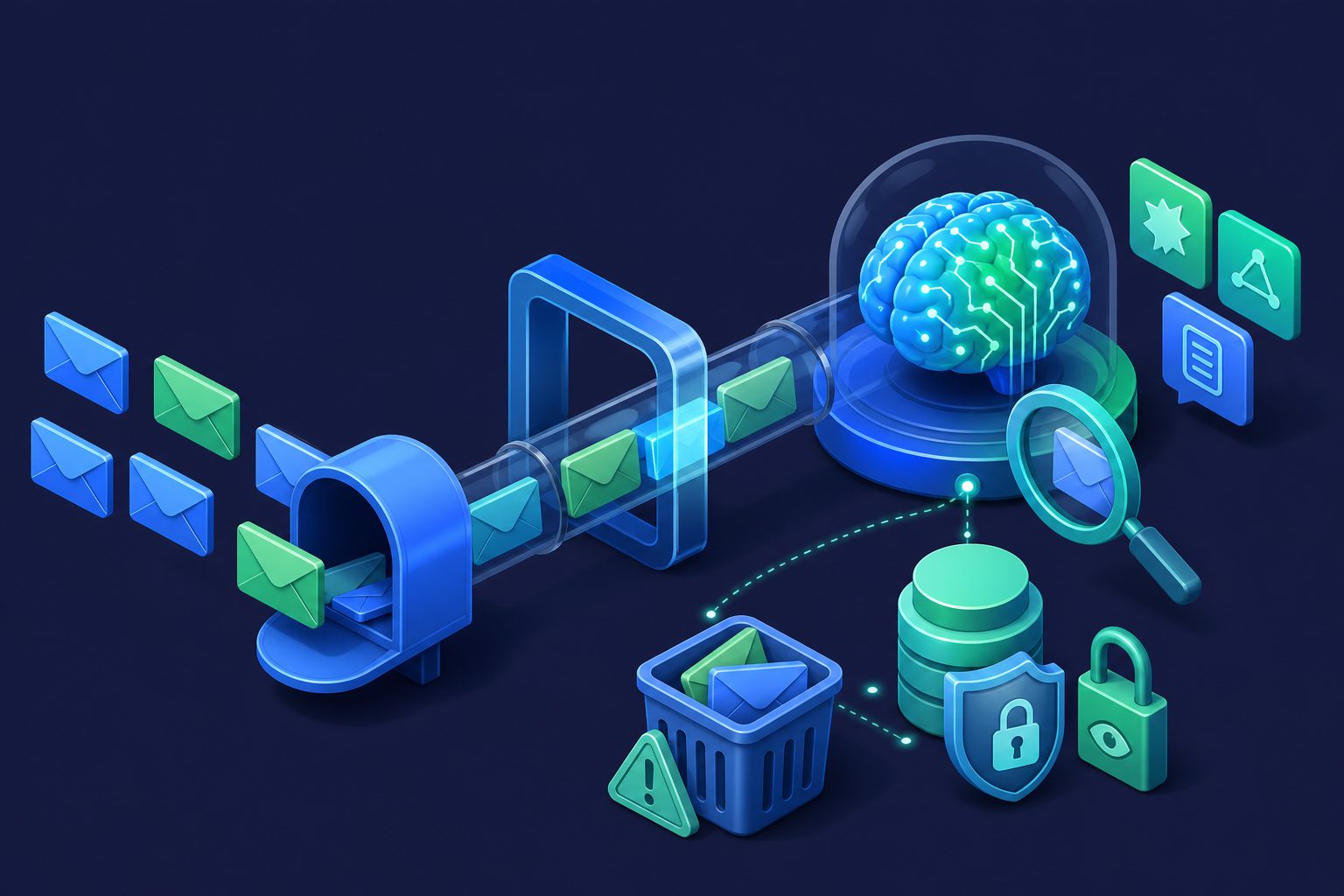
AI assistants are being built into every major email platform. Microsoft has Copilot in Outlook. Google has Gemini in Gmail. Apple is rolling out Apple Intelligence across Mail. Each promises to save you time by summarizing threads, drafting replies, and prioritizing your inbox.
To do any of that, the AI needs to read your email. All of it. And that is a fundamentally different kind of access than what email providers have had before.
What changed
Email providers have always had technical access to your messages. Gmail could read your email in 2010 just as it can today. The difference is what they do with that access.
Before AI assistants, email providers processed your messages for a limited set of purposes: spam filtering, search indexing, and (in Gmail’s case until 2017) ad targeting based on keywords. These were automated systems looking for patterns, not understanding content.
AI assistants are different. They comprehend your email. They understand context, relationships, urgency, sentiment, and intent. A spam filter knows an email contains the word “invoice.” An AI assistant knows you have an unpaid invoice from your accountant that is due Friday and that you have been avoiding it.
What each platform does
Microsoft Copilot (Outlook)
Copilot in Outlook can:
- Summarize email threads (condensing 30 messages into key points)
- Draft replies in your writing style
- Extract action items and deadlines from conversations
- Prioritize your inbox based on content analysis
- Cross-reference email with your calendar, Teams chats, and OneDrive files
The cross-referencing is the significant part. Copilot does not just read your email — it correlates your email with everything else in your Microsoft 365 environment. It can connect a client’s email request with a document you edited last week and a meeting you have scheduled tomorrow.
For enterprise customers, Microsoft processes this data under their enterprise data protection agreement. For consumer Outlook users, the terms are governed by Microsoft’s consumer privacy policy, which is broader.
Google Gemini (Gmail)
Gemini in Gmail offers similar capabilities:
- Summarize long email threads
- Draft contextual replies
- Search across your inbox conversationally (“find the email from my dentist about rescheduling”)
- Extract information from emails (“what was the hotel confirmation number?”)
Google’s AI processes email content to deliver these features. For Workspace (paid) users, Google states that AI features do not use your data to train models. For free Gmail users, the terms are less clear — Google’s privacy policy permits using data to “improve services,” which can include AI training. For more on how Google uses your email data, see our detailed breakdown.
Apple Intelligence (Apple Mail)
Apple’s approach is different in architecture:
- Priority sorting (surfacing urgent messages)
- Thread summaries
- Smart reply suggestions
- On-device processing for most features
Apple processes most AI features on-device rather than in the cloud. When cloud processing is needed, Apple uses “Private Cloud Compute” servers that are designed to be stateless — data is processed and discarded, not stored. This is a meaningfully better privacy model than Microsoft or Google. However, on-device still means the AI on your phone has full access to every email in your local mailbox. For more on Apple Mail’s security, see Is Apple Mail Safe?
The privacy problems
Comprehension changes the risk profile
When a spam filter scans your email, it checks patterns. When an AI assistant processes your email, it builds a semantic understanding of your life: your relationships, your finances, your health concerns, your legal matters, your business deals. This understanding is far more valuable — and far more dangerous if misused or breached — than raw email text.
Training data concerns
AI models improve by training on data. When your email is processed by an AI assistant, there is always the question: is this email being used to train future versions of the model?
- Microsoft: States that enterprise Copilot data is not used for model training. Consumer terms are less explicit.
- Google: Workspace data is not used for model training. Free Gmail terms allow broader data use.
- Apple: States that data processed through Private Cloud Compute is not retained or used for training.
These are policy commitments, not technical guarantees. Policies can change. A company that promises not to use your data for training today can update its terms of service tomorrow.
Third-party AI plugins
Beyond the platform providers themselves, a growing ecosystem of third-party AI tools connects to your email: scheduling assistants, CRM integrations, sales tools, and productivity apps. Each one that connects to your inbox gets the same access the platform AI does — but with less accountability and often vaguer privacy policies.
Every AI plugin you authorize is another entity reading every email in your inbox. The convenience of automated scheduling is real, but so is the expansion of who can see your private communications.
What you can do
Opt out where possible
Most AI features can be disabled:
- Outlook: Copilot can be toggled off in settings. Enterprise admins can disable it organization-wide.
- Gmail: Smart features can be disabled in Settings → General. Gemini features have separate toggles.
- Apple Mail: Apple Intelligence can be disabled in system settings, and individual features can be toggled.
The problem: these features are on by default, and most users never change defaults. The platforms benefit from maximum adoption, so they make opting out possible but not prominent.
Audit connected apps
Review which third-party apps have access to your email:
- Google: myaccount.google.com → Security → Third-party apps with account access
- Microsoft: account.microsoft.com → Privacy → App access
- Apple: Settings → [Your Name] → Sign-In & Security → Sign in with Apple
Revoke access for any app you no longer use or do not recognize.
Reduce what the AI sees
The most effective protection is not about settings — it is about reducing the volume and sensitivity of email that reaches your inbox in the first place:
- Use aliases for signups: When services email your alias instead of your real address, the AI assistant on your primary inbox never sees those messages.
- Filter before delivery: An external filtering layer that processes email before it reaches your provider means spam, phishing, and tracking content never enter the dataset the AI reads.
- Compartmentalize: Sensitive communications on one address, general correspondence on another. The AI on your Gmail only sees what Gmail receives.
How Cleanbox addresses this
Cleanbox sits between the internet and your inbox. Email passes through Cleanbox’s filtering stack — Rspamd, DNSBL checks, ClamAV, AI classification — before it reaches your email provider. By the time Gmail’s Gemini or Outlook’s Copilot sees your email, the spam, phishing, and tracker-laden messages have already been removed.
Aliases add another layer. When you use a Cleanbox alias for a service, the email arrives at Cleanbox first, is filtered, and then forwarded to your inbox. The service never knows your real address, and your email provider’s AI only sees filtered, clean messages — not the full stream of everything the internet sends you.
You cannot stop your email provider from building AI into your inbox. But you can control what your inbox contains when the AI starts reading.
For more on email privacy, see What Your Email Provider Knows About You and Which Providers Track You the Least.
Ready to take control of your inbox?
Start protecting your email with Cleanbox — free plan available, no credit card required.
Get started free