How Email Encryption Actually Works - TLS, End-to-End, and What Your Provider Protects
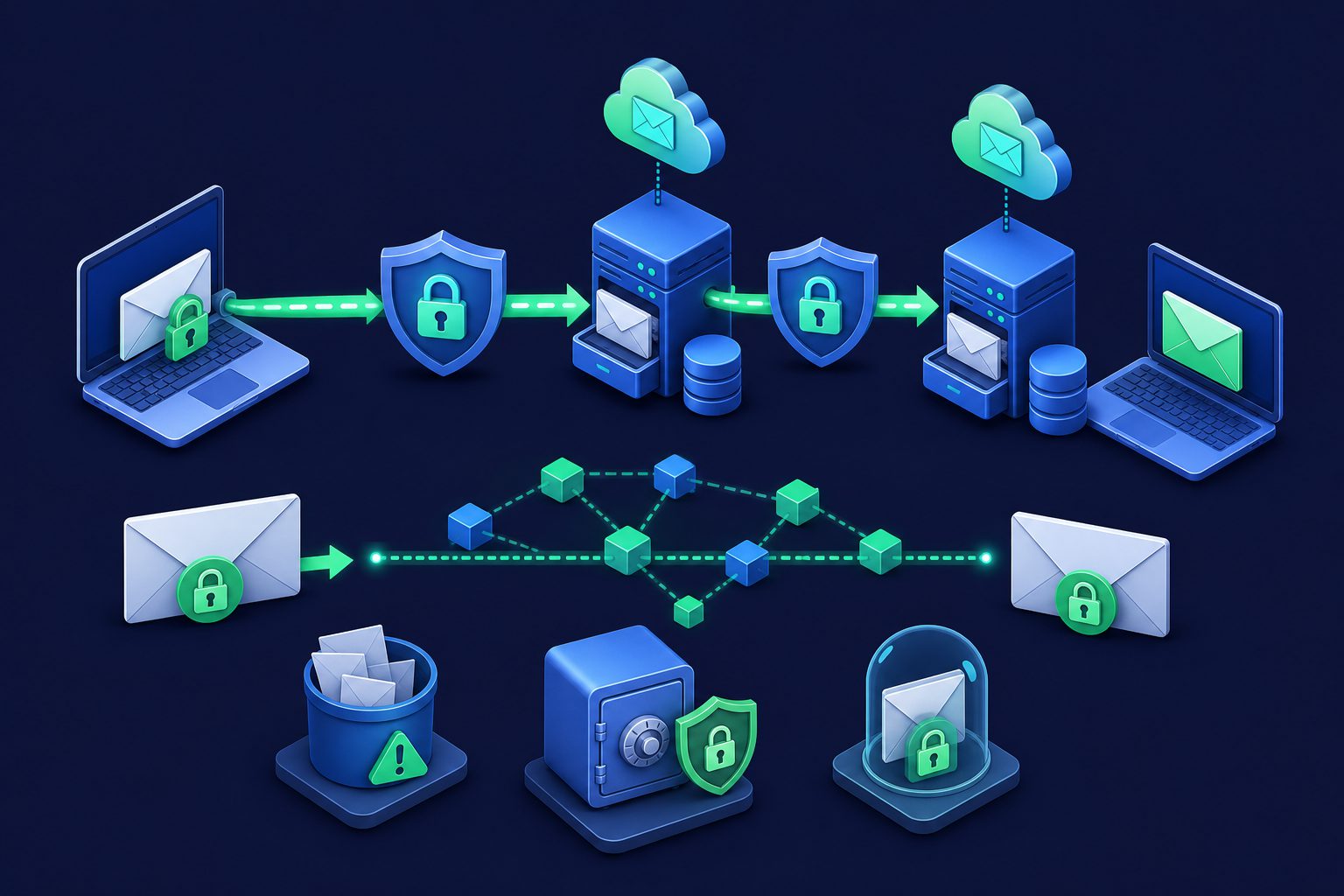
When people ask “is my email encrypted?” the answer is almost always “partially.” Most email is encrypted in transit (while traveling between servers) but not at rest (while stored on the server) and never end-to-end (where only sender and recipient can read it).
Understanding what each type of encryption protects — and what it does not — is essential for making informed decisions about which email provider to trust and when to use additional protection.
The three types of email encryption
| Type | Protects | Does not protect | Who uses it |
|---|---|---|---|
| TLS (in transit) | Email while traveling between servers | Email stored on the server; email at the endpoints | Gmail, Outlook, Yahoo, almost all modern providers |
| At-rest encryption | Email stored on the provider's servers | Email from the provider itself (they hold the key) | Gmail, Outlook (server-side), ProtonMail (zero-access) |
| End-to-end (E2E) | Email at every stage; only sender and recipient can read it | Metadata (who emailed whom, when, subject line in some cases) | ProtonMail, Tutanota, PGP/GPG users |
TLS: what most people mean by encrypted email
TLS (Transport Layer Security) encrypts the connection between mail servers. When Gmail sends an email to Outlook, TLS encrypts the data while it travels across the internet. If someone intercepts the traffic in transit, they see encrypted gibberish instead of your message.
TLS adoption is now nearly universal. Google reports that over 90% of inbound and outbound Gmail traffic is encrypted with TLS. This means the “email traveling across the internet unencrypted” risk that was real in 2010 is largely solved.
What TLS does not protect
- Email at rest — Once the email arrives at the destination server, TLS has done its job. The email sits on the server in a form the provider can read
- Email from your provider — Google, Microsoft, and Yahoo can all read your email. They need to for spam filtering, search indexing, and (in Yahoo's case) advertising
- Opportunistic downgrade — TLS for email is typically “opportunistic,” meaning if the receiving server does not support TLS, the email is sent unencrypted anyway. The sender usually does not know this happened
SMTP MTA-STS: mandatory TLS
To solve the downgrade problem, MTA-STS (Mail Transfer Agent Strict Transport Security) lets domains declare that they require TLS for incoming email. If a sending server cannot establish a TLS connection, the email is not sent rather than falling back to unencrypted delivery. Gmail, Outlook, and Yahoo all support MTA-STS.
At-rest encryption: protecting stored email
At-rest encryption means your email is encrypted while stored on the provider's servers. If someone physically steals a server or gains unauthorized access to the storage system, they see encrypted data.
But there is a critical distinction:
- Server-side encryption (Gmail, Outlook) — The provider encrypts your email with keys they control. This protects against physical theft and unauthorized server access, but the provider itself can decrypt and read your email
- Zero-access encryption (ProtonMail, Tutanota) — Your email is encrypted with keys derived from your password. The provider cannot decrypt your email even if ordered to by a court. If you forget your password, your email is permanently unrecoverable
End-to-end encryption: the gold standard
End-to-end encryption (E2E) means only the sender and recipient can read the message. The email is encrypted on the sender's device and decrypted on the recipient's device. No server, provider, or intermediary can read it at any point.
How E2E works in practice
- ProtonMail to ProtonMail — Automatic. Both users are on the same system, keys are managed transparently
- ProtonMail to Gmail — The sender can set a password. The Gmail recipient gets a link to a secure page where they enter the password to read the message. Not seamless, but it works
- PGP/GPG — The original E2E email encryption. Both parties generate key pairs, exchange public keys, and use them to encrypt messages. Technically powerful but so difficult to use that adoption remains negligible outside security professionals
- S/MIME — Certificate-based encryption supported by Outlook and Apple Mail. Requires both parties to have certificates from a trusted authority. Used in some corporate and government environments
Why almost nobody uses E2E
End-to-end encryption for email has been available since PGP launched in 1991. After 35 years, adoption is still minimal. The reasons:
- Key management is hard — Users need to generate, store, back up, and exchange cryptographic keys. Losing your key means losing access to all encrypted email
- Both parties must participate — You cannot encrypt email to someone who does not have E2E set up. This chicken-and-egg problem keeps adoption low
- It breaks server-side features — Search, spam filtering, smart categorization, and AI features all require the server to read your email. E2E encryption makes these impossible
- Most threats are elsewhere — For most people, the biggest email risks are phishing, spam, and account compromise — none of which E2E encryption addresses
What your provider actually protects
| Provider | TLS in transit | At-rest encryption | E2E available | Can provider read email |
|---|---|---|---|---|
| Gmail | Yes (90%+ of traffic) | Server-side (AES-128+) | S/MIME (paid Workspace) | Yes |
| Outlook.com | Yes | Server-side (BitLocker) | S/MIME (manual setup) | Yes |
| Yahoo Mail | Yes | Server-side | No | Yes (scans for ads) |
| ProtonMail | Yes | Zero-access | Yes (automatic to Proton users) | No |
| Tutanota | Yes | Zero-access | Yes (automatic to Tutanota users) | No |
| Fastmail | Yes | Server-side | No | Yes (but no ad scanning) |
| iCloud Mail | Yes | Server-side | No | Yes |
For detailed comparisons, see Is Gmail encrypted, Is iCloud Mail safe, and Is Yahoo Mail safe.
What encryption does not protect against
Encryption is important, but it is not a complete email security solution. It does not protect against:
- Phishing — An encrypted phishing email is still a phishing email. Encryption protects the message from third parties, not from malicious content
- Spam — Encrypted or not, spam fills your inbox. And E2E encryption actually makes spam filtering harder because the server cannot read the content to classify it
- Account compromise — If an attacker gets your password, they can read everything you can read, encrypted or not
- Metadata — Even with E2E encryption, metadata (who emailed whom, when, how often, subject lines) is visible to the server and can reveal more than you think
- Social engineering — Whaling attacks and business email compromise work by manipulating people, not by intercepting email in transit
What actually protects your email
For most people, the practical threats are phishing, spam, malware, and account compromise. The defenses that address these threats are:
- Strong authentication — Two-factor authentication prevents account compromise even if your password is stolen
- Spam filtering — Multi-layered detection (Rspamd, DNSBL, AI classification) keeps malicious email out of your inbox
- Email authentication — SPF, DKIM, and DMARC prevent domain spoofing
- Email aliases — Unique addresses per service limit exposure from breaches
- Sender verification — Tools like Shield and contact categorization control who can reach your inbox
Encryption protects your email from interception. These measures protect your email from everything else. Cleanbox provides the full inbound protection stack — spam filtering, virus scanning, authentication checks, and sender management — regardless of which email provider you use.
Ready to take control of your inbox?
Start protecting your email with Cleanbox — free plan available, no credit card required.
Get started free